How to Connect an AI Receptionist to Altegio, Square, Acuity or SimplyBook in 5 Minutes
"Do I have to move everything to a new booking system?" That's the question that stops most salon owners from trying anything new. You've spent years in…

co-founder

Listen to this article
English · 6:03
"Do I have to move everything to a new booking system?"
That's the question that stops most salon owners from trying anything new. You've spent years in Altegio, Square, Acuity or SimplyBook. Your calendar is the business. Nobody wants to rebuild it.
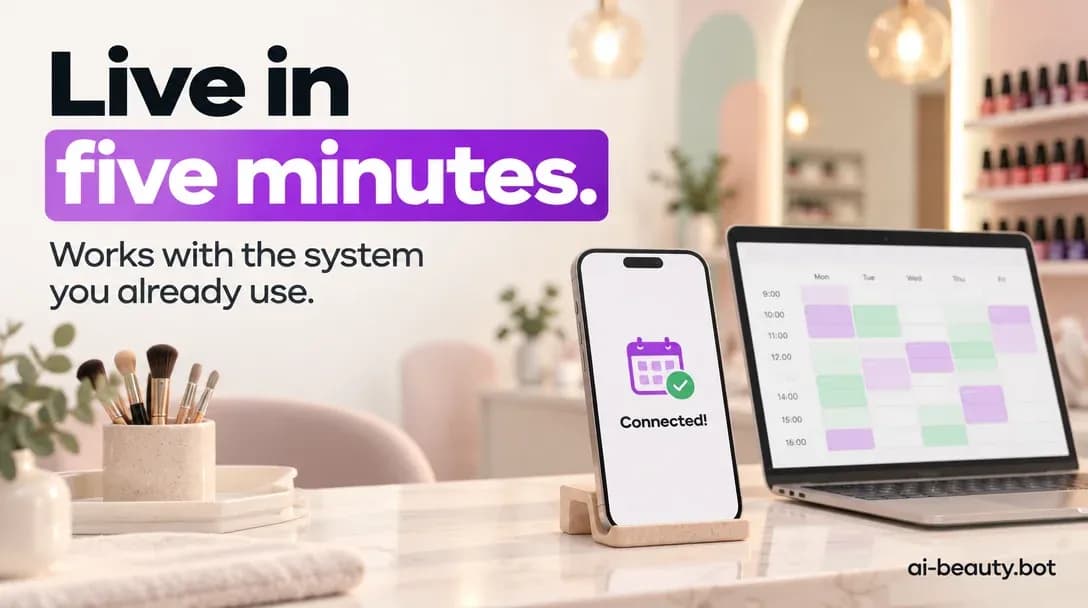
You don't have to. An AI receptionist should plug into the system you already use.
Here's how to get it live in about five minutes.
What an AI receptionist actually needs from your CRM
Three things, and nothing else:
- Your real availability — so it never promises a slot you don't have
- Your services and prices — so it answers "how much?" without guessing
- The ability to write a booking back — so confirmed appointments appear in your calendar, not in a separate inbox
If a tool can't do those three, it's a chatbot with good manners. What you want is a receptionist that books.
Step 1: Connect your booking system (about two minutes)
In AI Beauty Bot, you connect your existing CRM. It supports the systems beauty businesses already use, including:
- Altegio
- Square
- Acuity
- SimplyBook
You authorise the connection once — no data migration, no new calendar, no retraining your team.
Step 2: Add your services, prices and rules (about two minutes)
This is the part that makes it sound like you.
- Services and prices. Enter them as you'd say them out loud: "Balayage starts at $180, depends on length."
- Opening hours and booking rules. Minimum notice, cancellation window, deposit policy, which stylist does what.
- Tone. Warm, short, no jargon. Write it the way you text a client.
- What it should never answer. Anything medical, complaints, or anything you'd want to handle yourself — flag it to hand over to you.
A useful rule: for every question you're tired of answering, write one sentence. That's 90% of the setup.
Step 3: Turn on your channels (about one minute)
The AI receptionist answers across calls, WhatsApp, Instagram and other messages — so the client who messages you at 10pm and the one who rings at 2pm both get an answer.
Keep your existing number. It works alongside what you have.
Step 4: Test it like a client
Before you go live properly, send it the messages your real clients send:
- "How much for a full set?"
- "Do you have anything Saturday?"
- "I'm running 20 minutes late, is that ok?"
- "Can I book with the stylist who did my colour last time?"
You're looking for three things: it answers accurately, it offers a real slot, and the booking lands in your CRM. If any of those fail, fix that sentence or rule — don't give up on the whole thing.
What it should and shouldn't handle
| Let the AI receptionist handle | Keep for yourself |
|---|---|
| Prices and service questions | Complaints and refunds |
| Availability and booking | Complex colour corrections |
| Location, parking, opening hours | Medical or allergy questions |
| Rescheduling and cancellations | Regulars who want a chat |
| After-hours enquiries | Anything that needs judgement |
Being clear about the second column is what makes the first column work. You're not handing over your salon. You're handing over the repetitive part.
The mistakes to avoid
- Don't set it up on guesses. Load your real prices. A wrong quote is worse than a slow reply.
- Don't write a novel. Short, warm answers book better than long explanations.
- Don't hide it. A clear, friendly assistant is normal now. Pretending to be human isn't.
- Don't skip the test. Ten minutes of sending test messages saves weeks of confusion.
Why five minutes matters
Most salon software projects die in the setup phase. Weeks of configuration, a team that never quite adopts it, and eventually a quiet decision to go back to the old way.
A five-minute setup removes that risk entirely. You connect, you add your prices and rules, you test, you're live. If it doesn't work for you, you've lost five minutes — not a month.
That's the whole idea behind AI Beauty Bot: an AI receptionist pre-trained on beauty businesses, connected to the CRM you already use, answering calls and messages 24/7 so you stop losing clients to a slow reply.
Your next step
Open your booking system. Check whether your services and prices are up to date. That's the only prep you need — the rest happens in the setup itself.
Five minutes today beats another year of "sorry, I missed your call."
FAQ
Do I need to change my phone number? No. It works alongside your existing number and picks up when you're busy or closed.
Which booking systems are supported? Altegio, Square, Acuity and SimplyBook are supported out of the box.
Will bookings appear in my normal calendar? Yes — bookings are written into your CRM, so your team works from one calendar as usual.
What if it gets a question wrong? Set clear prices and rules, flag anything sensitive for handover, and review the first week of conversations. Most fixes are one sentence.